Dashboard
Build Your Website with AI
Header (Navigation Bar)
Pages: Add | Edit | Hide
Edit: Text | Image | Buttons
Edit Sections: Add | Delete | Duplicate | Move | Change Layout
Generate images with AI
Embed contact forms
Add Floating Widgets
Database
Multilingual websites
SEO | AEO | Sitemap
Publish your website
Miscellaneous
History (version control)
Account settings
Change payment plans
Give us feedback
Add custom code
Domain Email Forwarding
Invoices & Billing
E-Contracts & E-signatures
πŸ’¬
Feedback
πŸ—ΊοΈ
Roadmap
πŸ“
Changelog
Help Center
    Home
  1. Miscellaneous
  2. Change payment plans

Change payment plans

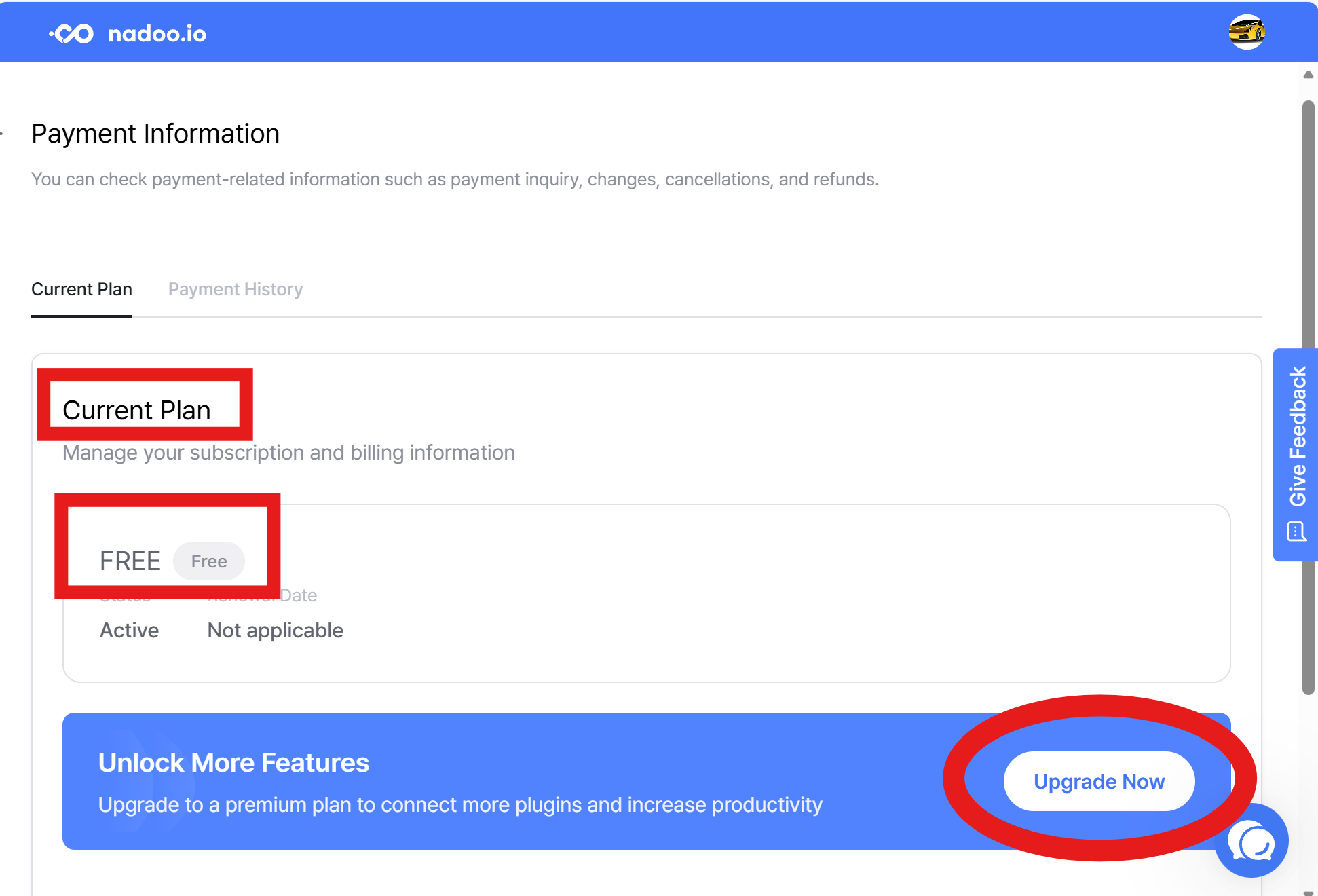
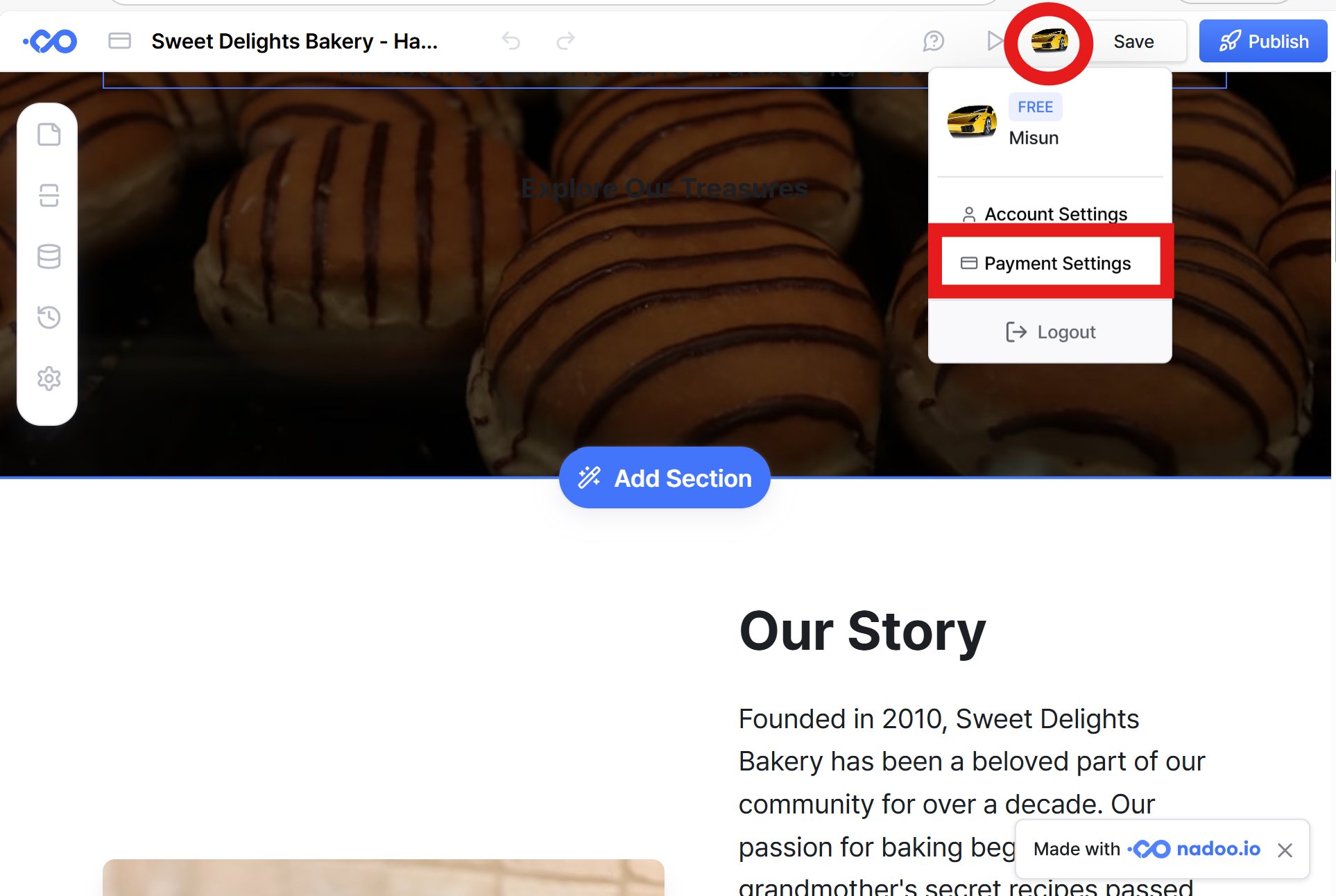
You can check your current subscription plan by clicking the My Account icon in the upper right corner and navigating to the Payment Settings page.

You can also change your subscription plan directly on the Payment Settings page.
Was this helpful?