Dashboard
Build Your Website with AI
Navigation Bar
Pages: Add | Edit | Hide
Edit: Text | Image | Buttons
Edit Sections: Add | Delete | Duplicate | Move | Change Layout
Add new sections
Delete | Duplicate | Move Sections
Change Section's Layout
Generate images with AI
Embed contact forms
Add Floating Widgets
Database
Multilingual websites
SEO | AEO | Sitemap
Publish your website
Miscellaneous
Domain Email Forwarding
Invoices & Billing
E-Contracts & E-signatures
๐Ÿ’ฌ
Feedback
๐Ÿ—บ๏ธ
Roadmap
๐Ÿ“
Changelog
Help Center
    Home
  1. Edit Sections: Add | Delete | Duplicate | Move | Change Layout
  2. Delete | Duplicate | Move Sections

Delete | Duplicate | Move Sections

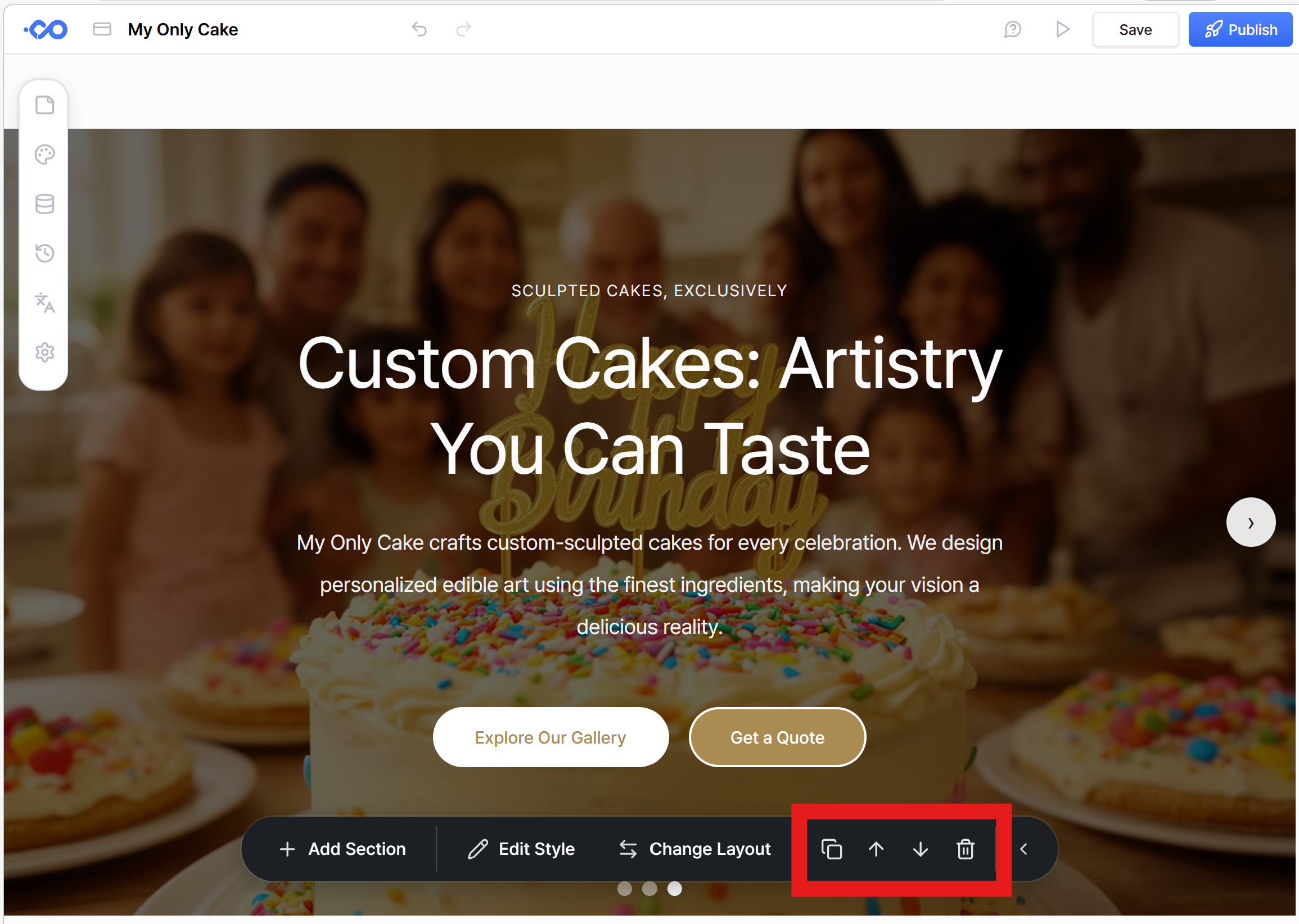
You can easily find the delete, duplicate and move up/down icons on the right side of the sectionโ€™s toolbar. Click on the icon you need.

Was this helpful?