Dashboard
Build Your Website with AI
Header (Navigation Bar)
Pages: Add | Edit | Hide
Add new pages
Edit pages (rename, delete, duplicate)
Hide a page from the navigation menu
Edit: Text | Image | Buttons
Edit Sections: Add | Delete | Duplicate | Move | Change Layout
Generate images with AI
Embed contact forms
Add Floating Widgets
Database
Multilingual websites
SEO | AEO | Sitemap
Publish your website
Miscellaneous
Domain Email Forwarding
Invoices & Billing
E-Contracts & E-signatures
πŸ’¬
Feedback
πŸ—ΊοΈ
Roadmap
πŸ“
Changelog
Help Center
    Home
  1. Pages: Add | Edit | Hide
  2. Hide a page from the navigation menu

Hide a page from the navigation menu

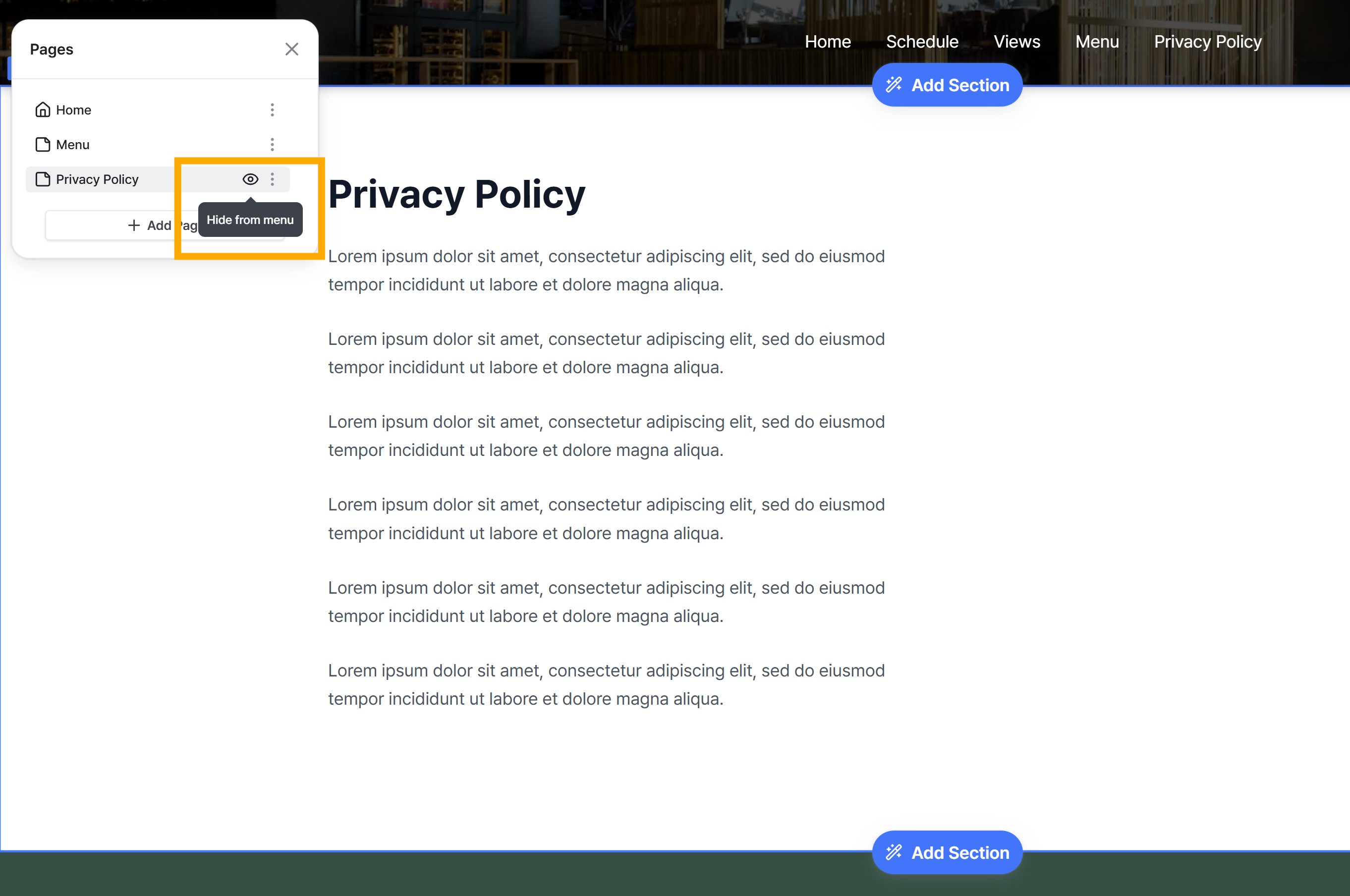
In Nadoo, when you create a page, it's automatically added to the navigation menu. If you need the page but want to hide it from the menu, you can simply click the 'eye' icon in the Pages panel to hide it!
Was this helpful?