Add new sections
Add a new section
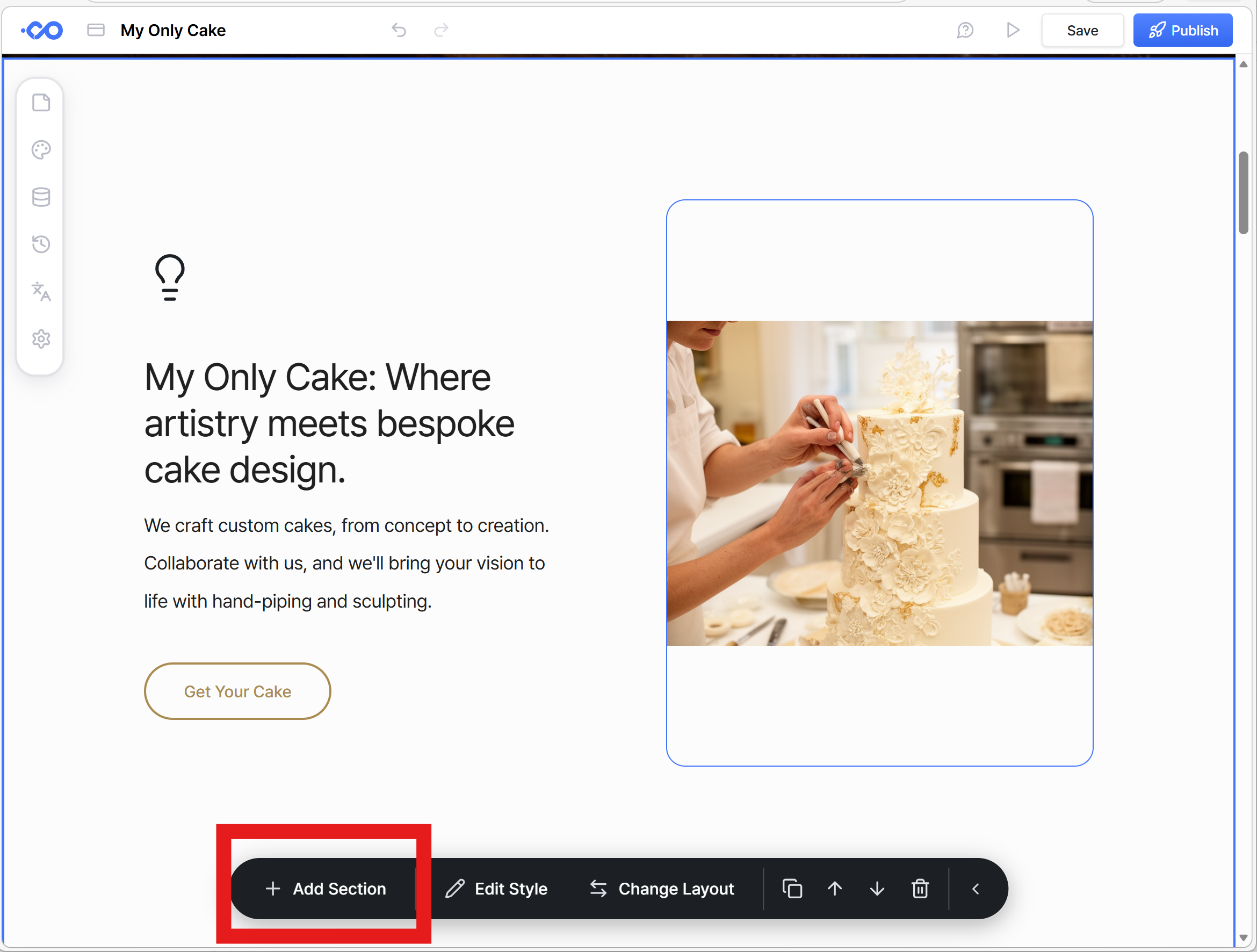
You will see a floating toolbar or each section you are you looking at. You can insert the new Click the Add Section button and add a new section just below the selected one.
Select a section template
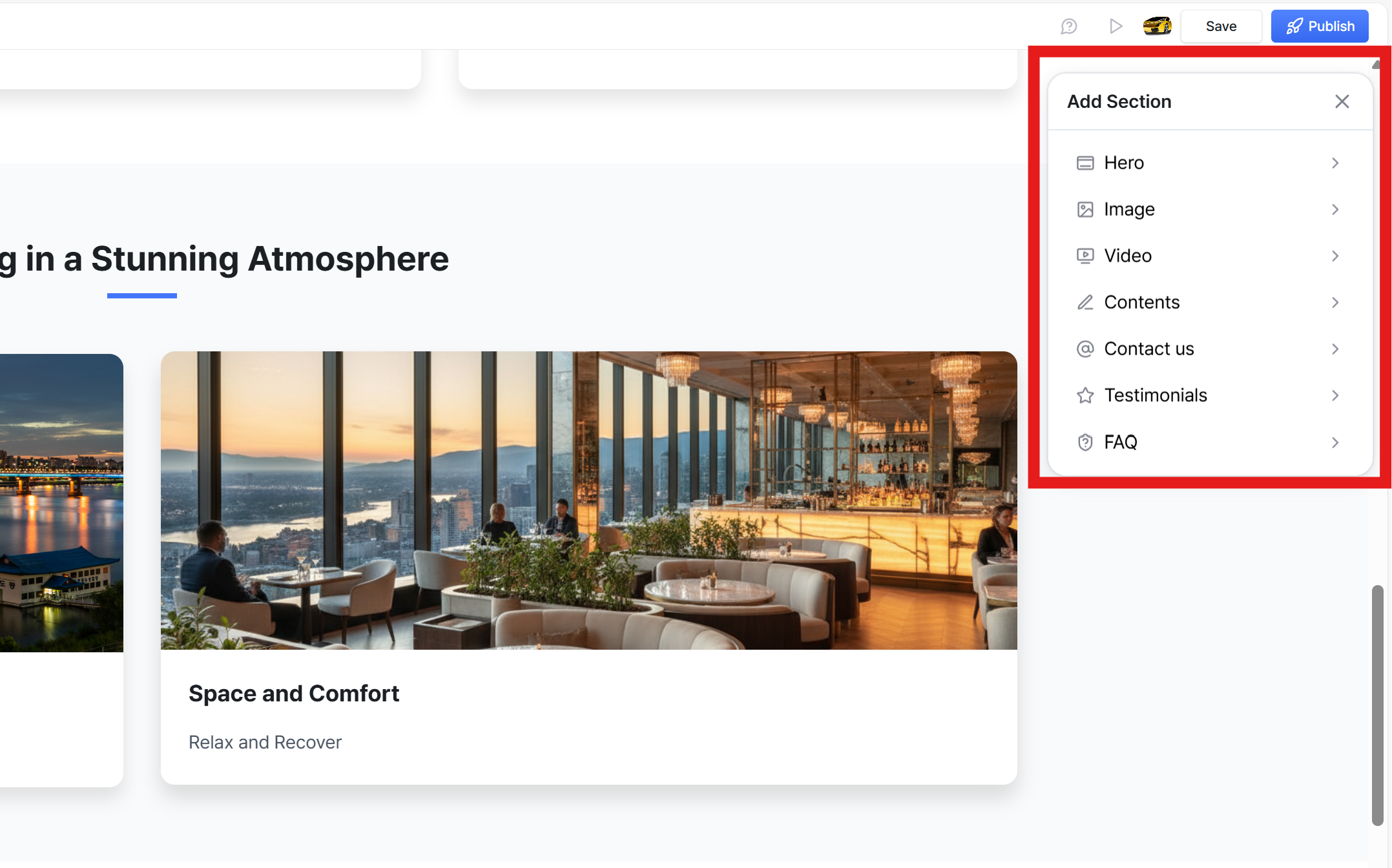
When you click “Add Section,” a panel will appear on the right side.
Here, you’ll find a collection of commonly used website section templates.
Preview them and choose the section that best fits your page!
Was this helpful?
Still need help? Ask the team