Edit the Navigation Menu
Reorder navigation menu items
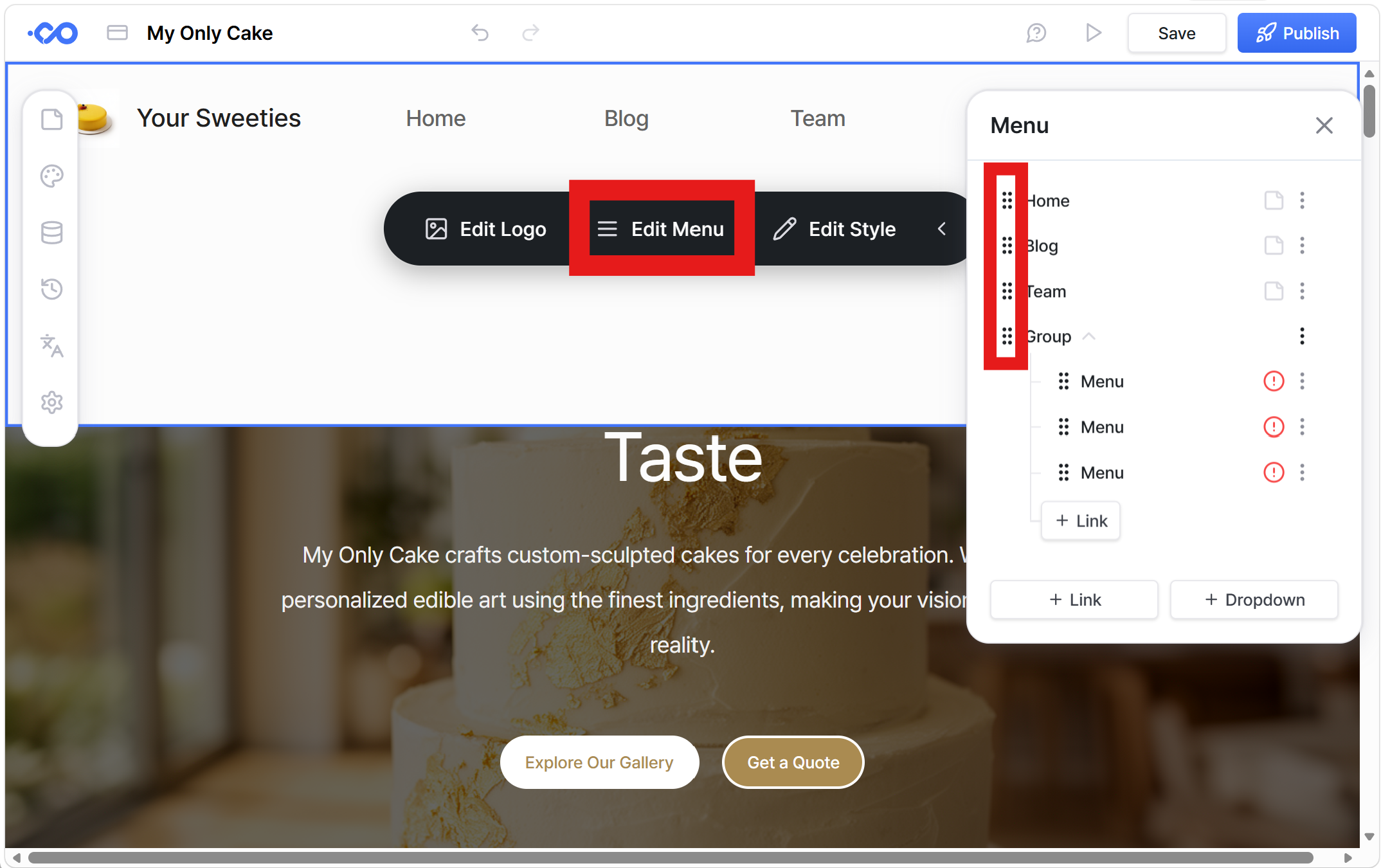
To change the order of the header navigation, click “Edit Menu.”
In the menu list, click and hold the handle icon on the left of each item, then drag and drop it to your desired position.
Add a dropdown submenu
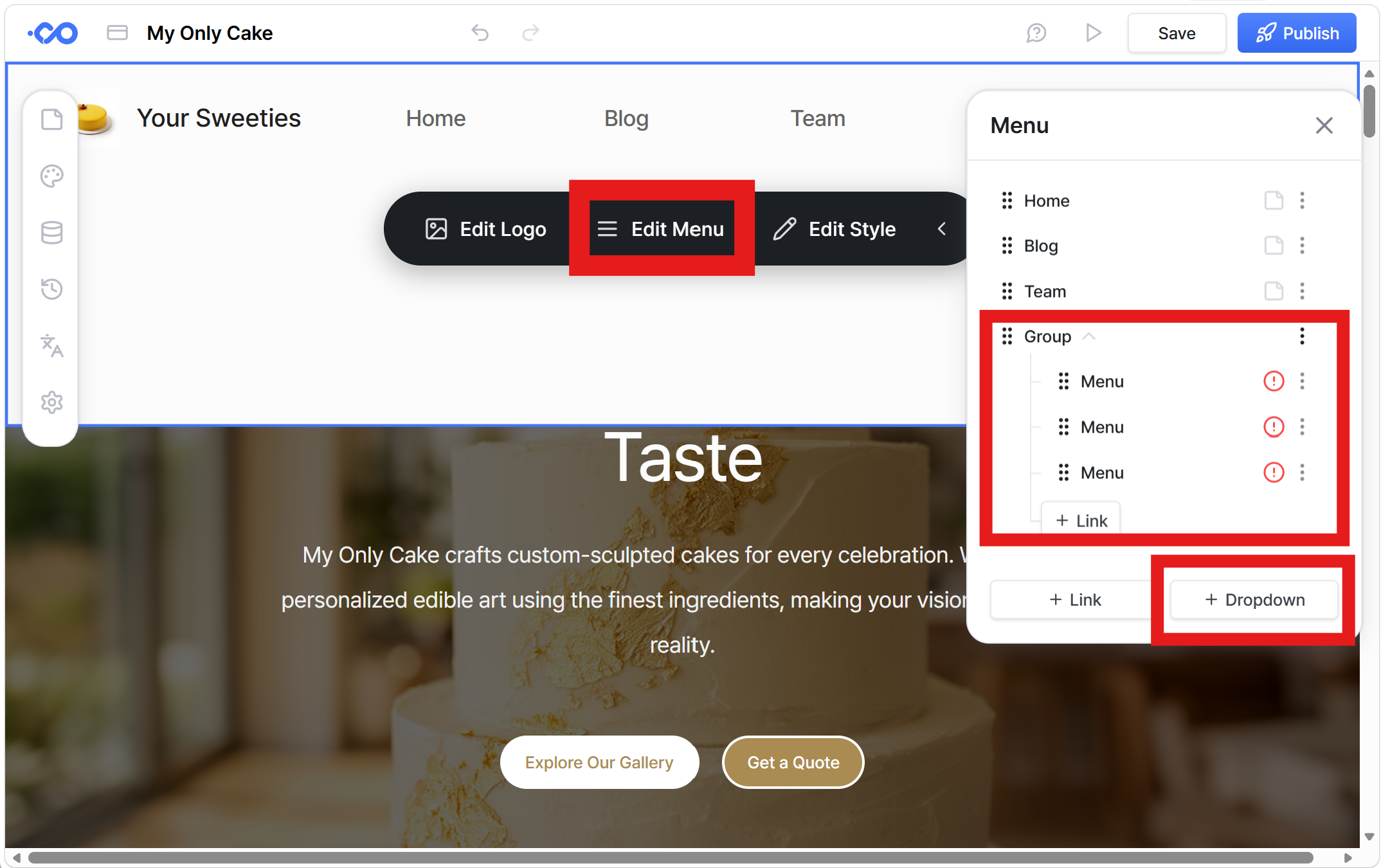
To add a submenu, open the “Edit Menu” panel and click “+ Dropdown.”
Then, use “+ Link” within the dropdown to add submenu items.
The red exclamation mark (!) next to a submenu item means no link has been set.
Click the more options (⋯) icon for each item, then select the page or section you want to link to.
Still need help? Ask the team