Dashboard
Build Your Website with AI
Navigation Bar
Pages: Add | Edit | Hide
Edit: Text | Image | Buttons
Sections: Add | Delete | Duplicate | Move
Generate images with AI
Embed contact forms
Add a new form
Edit your contact form's input fields
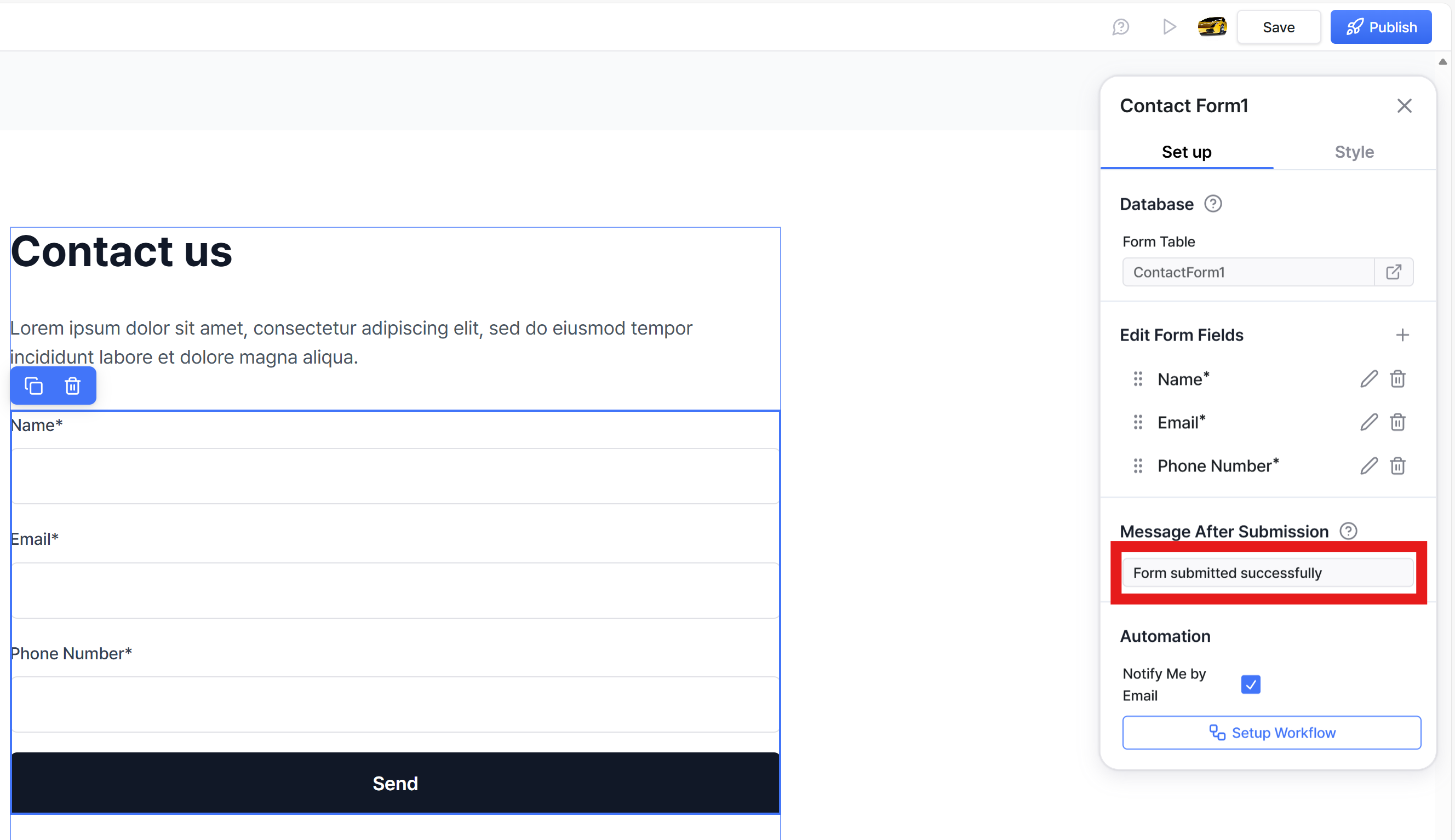
Customize your form submission message
Email notification upon form submission
Database
Multilingual websites
Custom code
SEO | AEO | Sitemap
Publish your website
Miscellaneous
Domain Email Forwarding
E-Contracts & E-signatures
πŸ’¬
Feedback
πŸ—ΊοΈ
Roadmap
πŸ“
Changelog
Help Center
    Home
  1. Embed contact forms
  2. Customize your form submission message

Customize your form submission message

You can set up an automatic message that appears after a visitor submits a form on your website. In the Nadoo Editor, simply click the form to open the editing panel and write your custom message.
Was this helpful?