Edit Translations
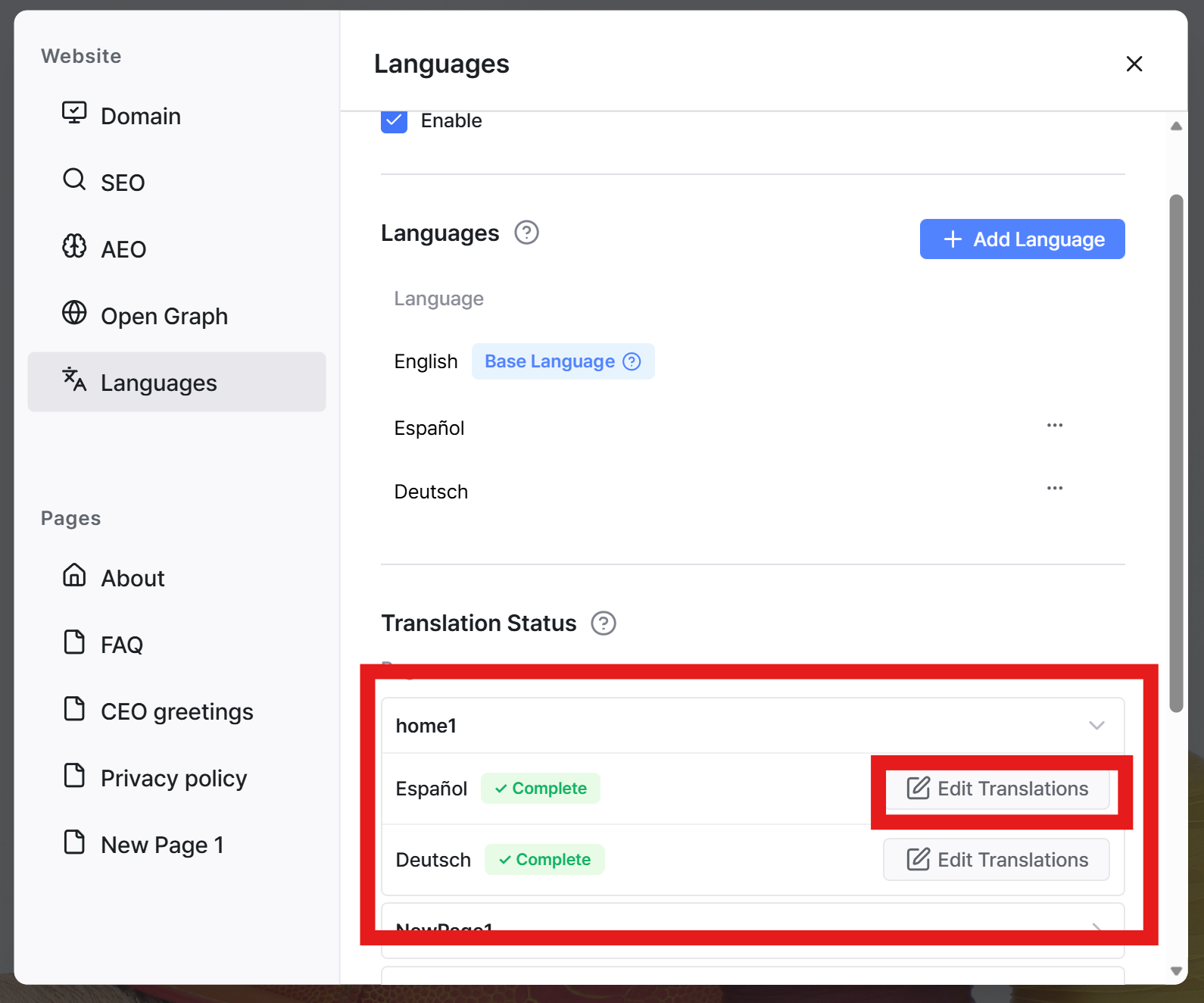
Once your multilingual website is generated, a Translation Status section will appear at the bottom of the language list.
Click the part of the page you want to edit, then select Edit Translation.
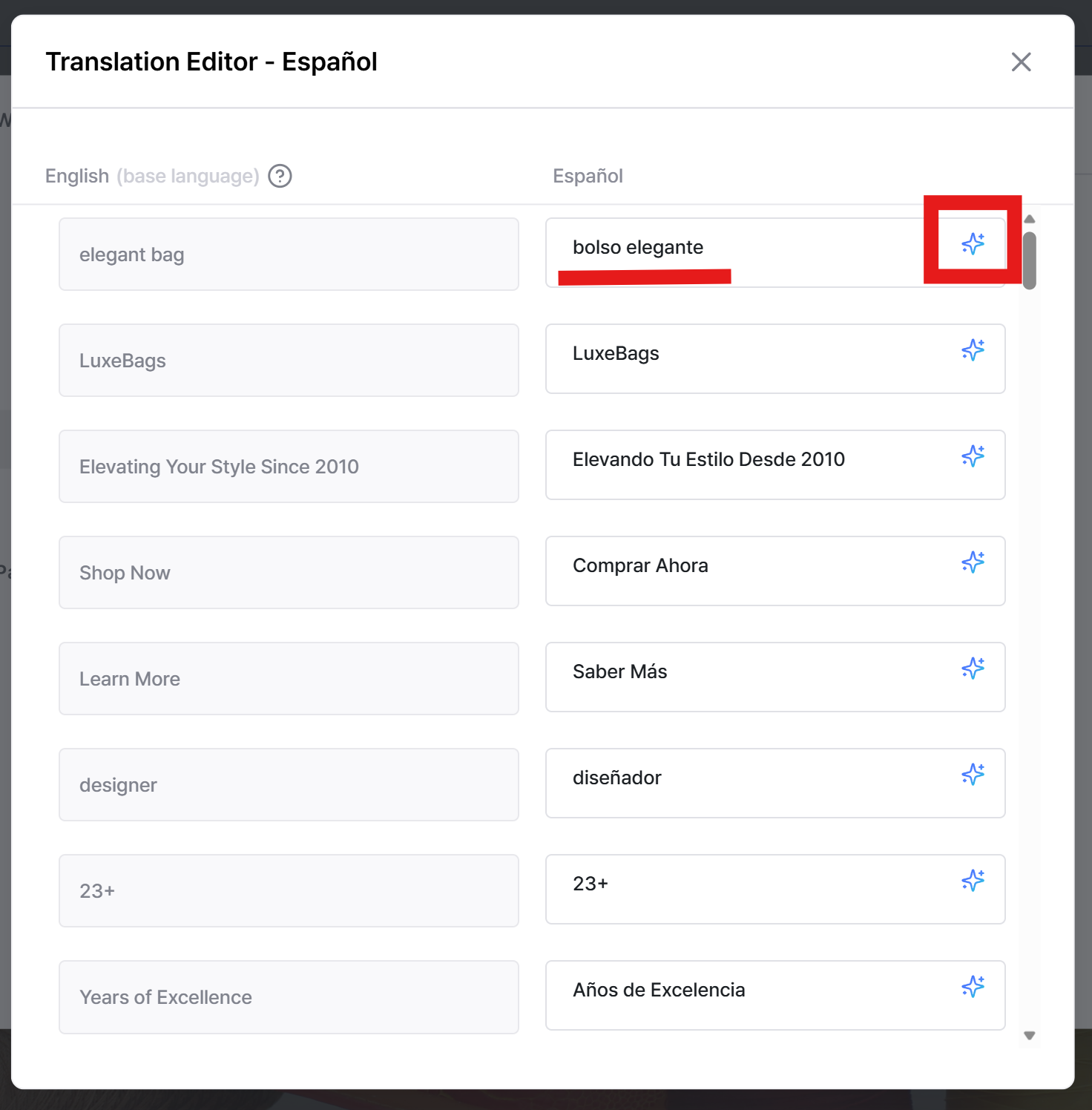
In the translation editor, you can either:
edit the text manually, or
click the AI icon to re-translate the content automatically.
This makes it easy to fine-tune translations while keeping the overall layout intact.
Still need help? Ask the team