What is Email Forwarding?
Email forwarding lets you use a professional, branded email address with your own domain, while still receiving messages in your personal inbox.
Simply connect your custom domain and forward emails sent to your business address to any email you use.
For example, emails sent to info@mybrand.com can be automatically forwarded to myinbox@gmail.com.
How to Set Up Domain Email Forwarding
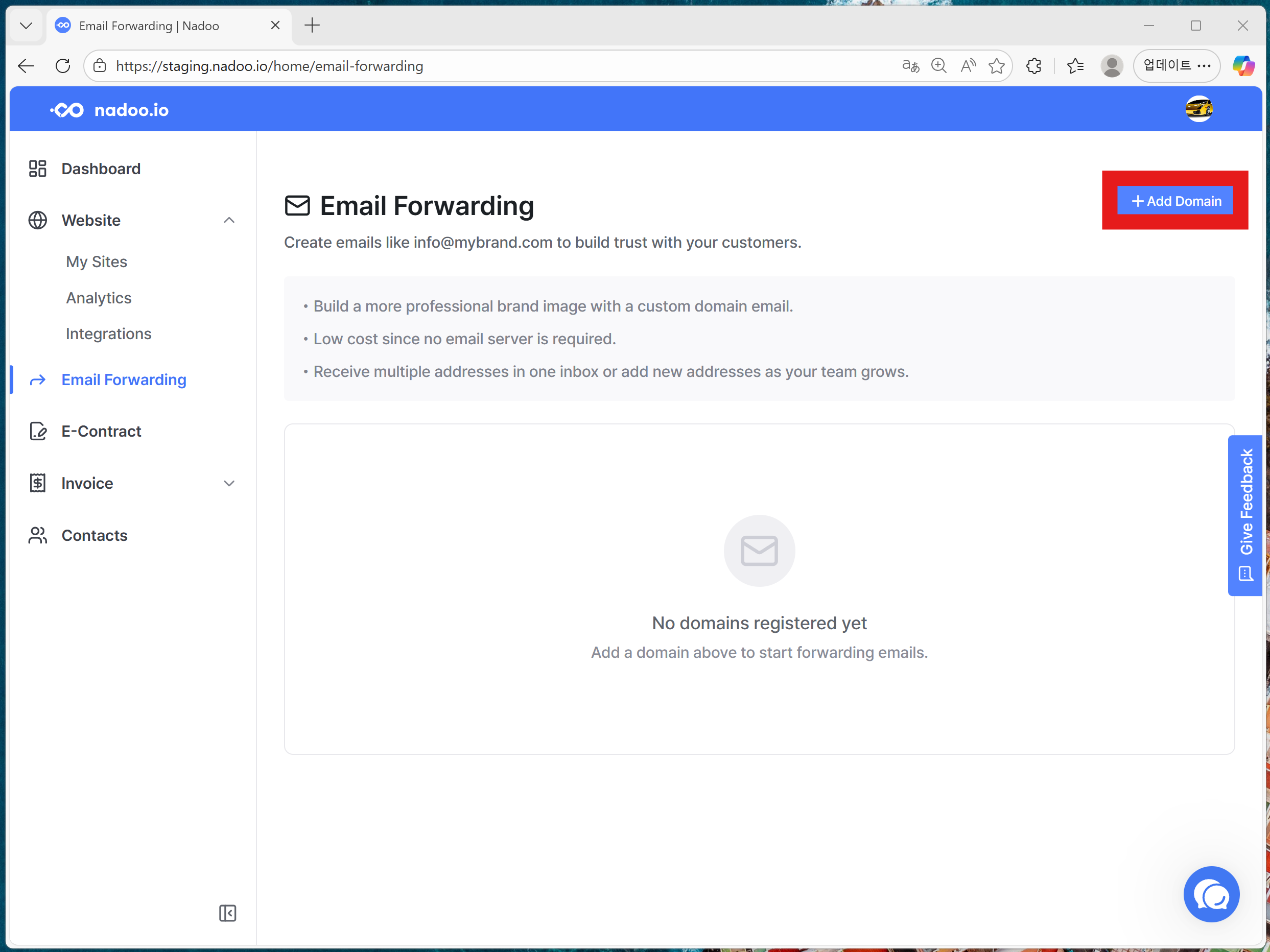
1. Add Your Custom Domain
Enter the domain you want to use for your business email address.
2. Add DNS Records
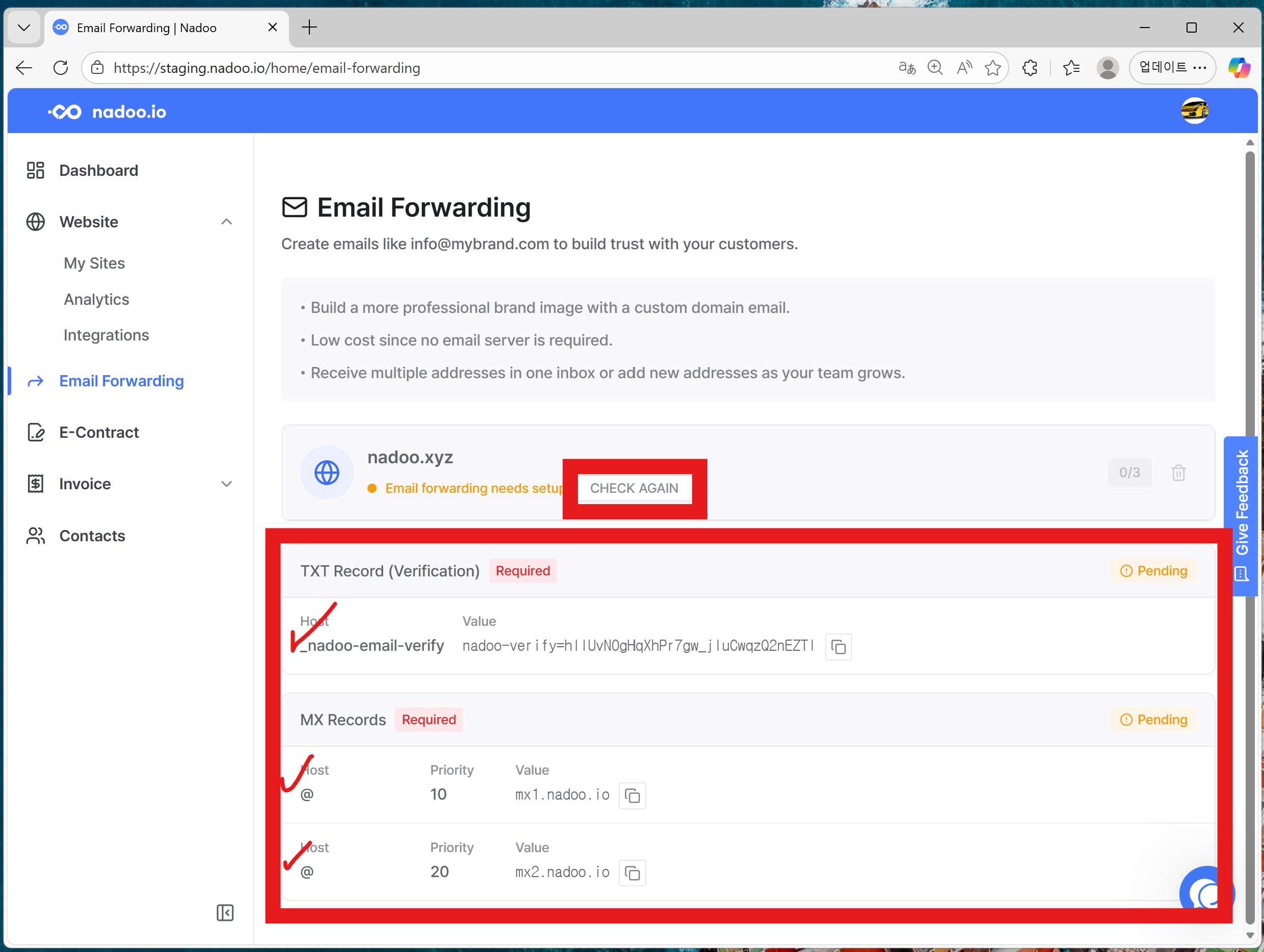
Go to your domain provider and add the required DNS records.
There are three records to add. Just copy and paste the values provided by Nadoo into your domain settings.
Once you added the DNS records, come back to Nadoo and click the Check Again button to refresh the page.
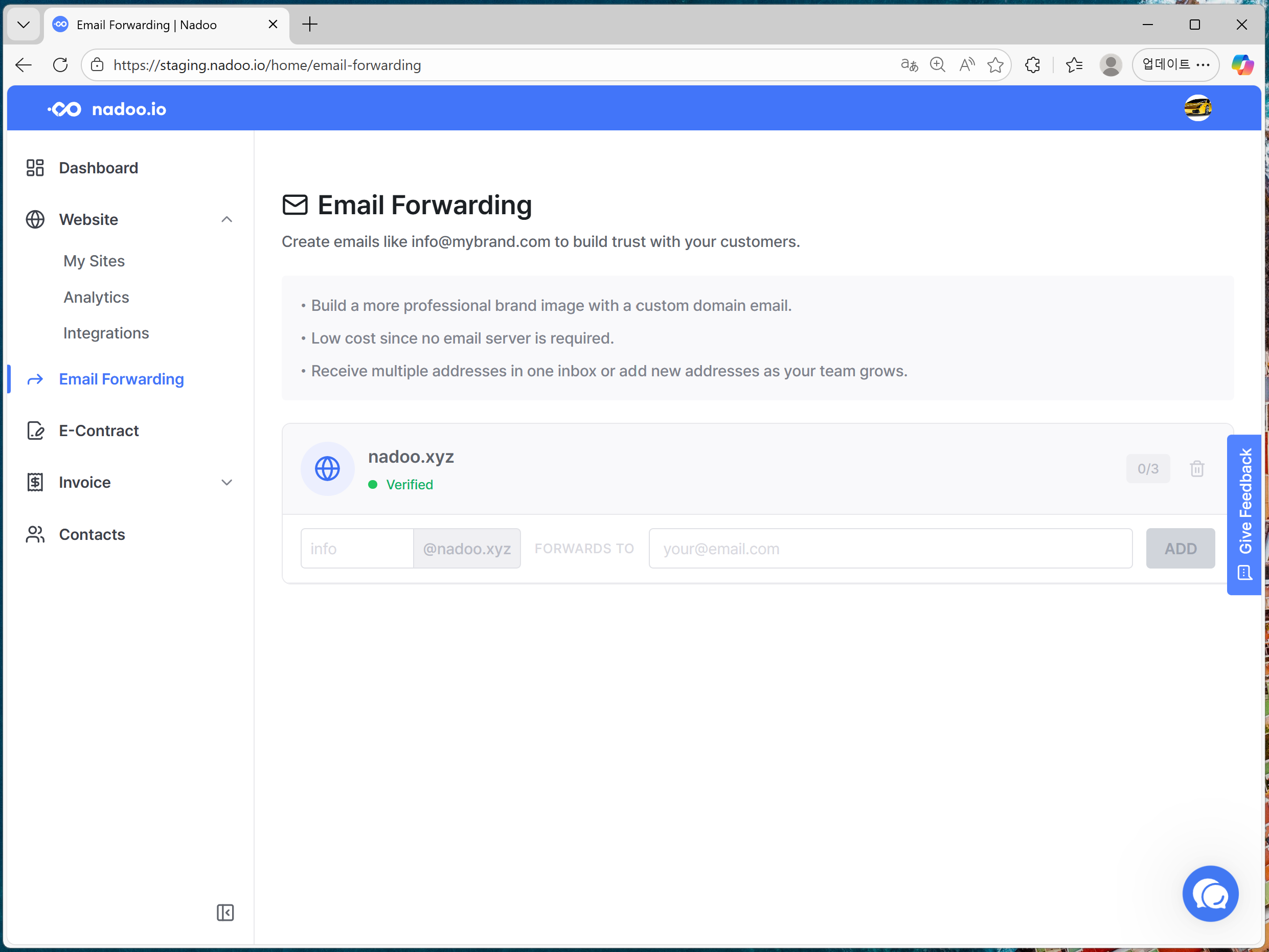
If the setup was successful, you will see the below image.
3. Set Up Forwarding Addresses
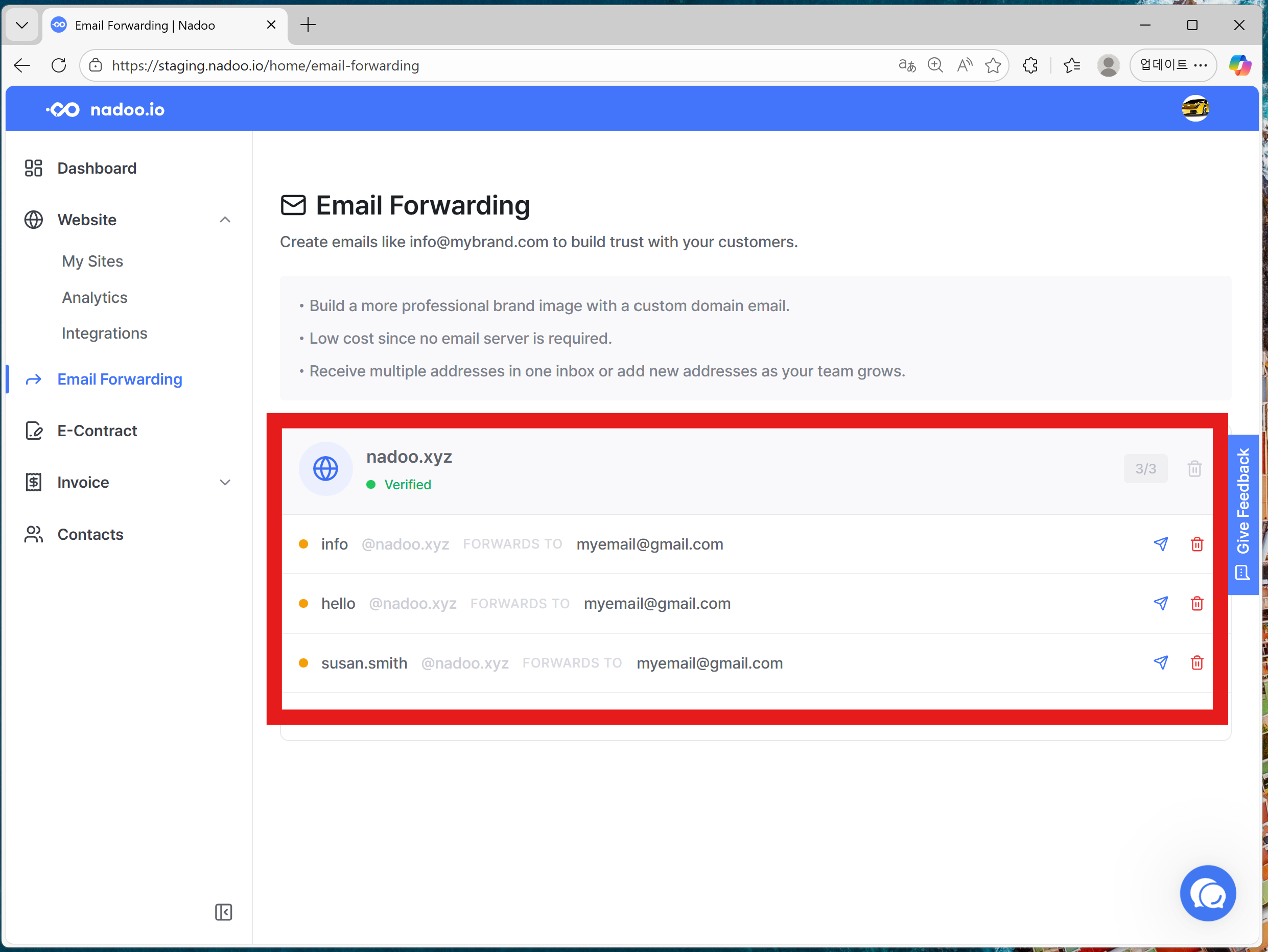
Choose which email addresses should receive the forwarded messages.
A verification email will be sent to each recipient. Simply approve it to start receiving forwarded emails.
Can I also send emails using this domain address?
Nadoo’s email forwarding service supports receiving emails only.
However, Gmail provides an email delegation / send-as feature that allows you to send emails using your domain address.
→ Learn more about Gmail email delegation
If you are using @gmail.com:
You can receive emails sent to your domain address via Nadoo (sending not supported).
You can send emails from your domain address using Gmail’s delegation feature (receiving not supported for free users).
Still need help? Ask the team