Add your website to search engines
Search engine registration is the process of requesting search engines like Google and Bing to recognize your website as an "officially existing site" and include it in search results. Once registered, the search engine collects information about your website, stores it in its database, and displays your site in search results when users search for relevant keywords. Therefore, registering your site with search engines is essential after publishing your homepage. Follow the steps below, and enter the meta tag provided by each search engine into the SEO tab on Nadoo.
1. Google Search Console
Access Google Search Console and log in.
Click 'Add Property' and select URL Prefix. Enter the full URL of your website (e.g.,
https://www.yourdomain.com) in the 'URL Prefix' box on the right.Select and Copy HTML Tag: When the ownership verification window appears, expand the 'HTML tag' section and copy the entire code.
Paste the copied code into the SEO tab in Nadoo settings and be sure to republish (Publish) your website.
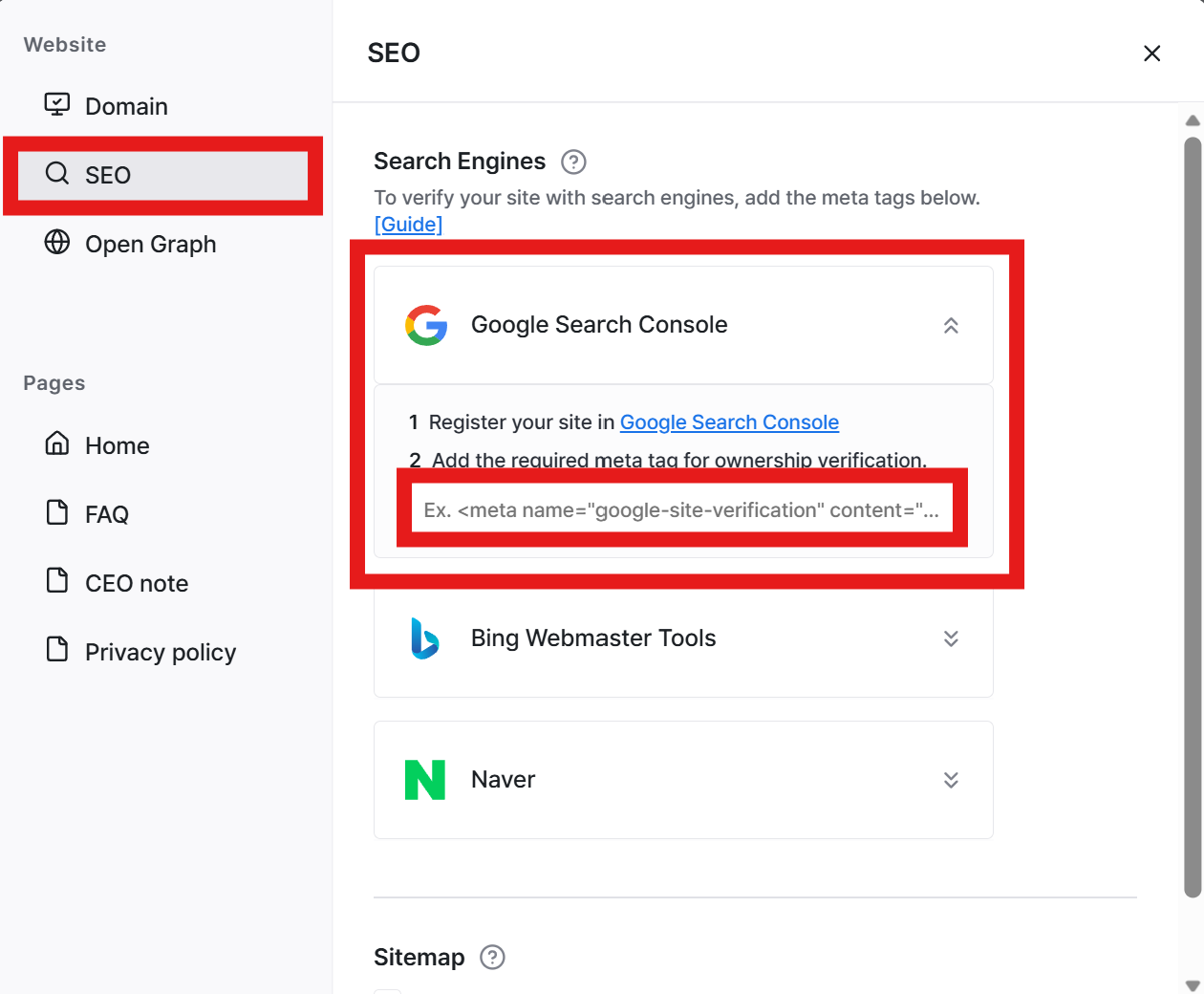
Return to Search Console and click 'Verify' to complete registration.
2. Bing Webmaster Tools
💡 Tip: Register at once with Google integration
Bing Webmaster Tools offers the ability to automatically import sites registered in Google Search Console.
Access Bing Webmaster Tools and log in.
Select 'Import from Google Search Console' and log in with your Google account to grant permission.
Automatic Registration: Sites already registered with Google will be automatically added to Bing, completing the ownership verification.
Manual Registration (Using Meta Tag)
If Google integration is difficult, you can register manually using the meta tag.
In Bing Webmaster Tools, select 'Add your site manually' and enter your homepage URL.
Select 'Option 2: HTML Meta Tag' from the ownership verification methods and copy the code.
Nadoo.io Setup: Paste the copied code into the SEO tab in Nadoo settings and be sure to republish (Publish) your website.
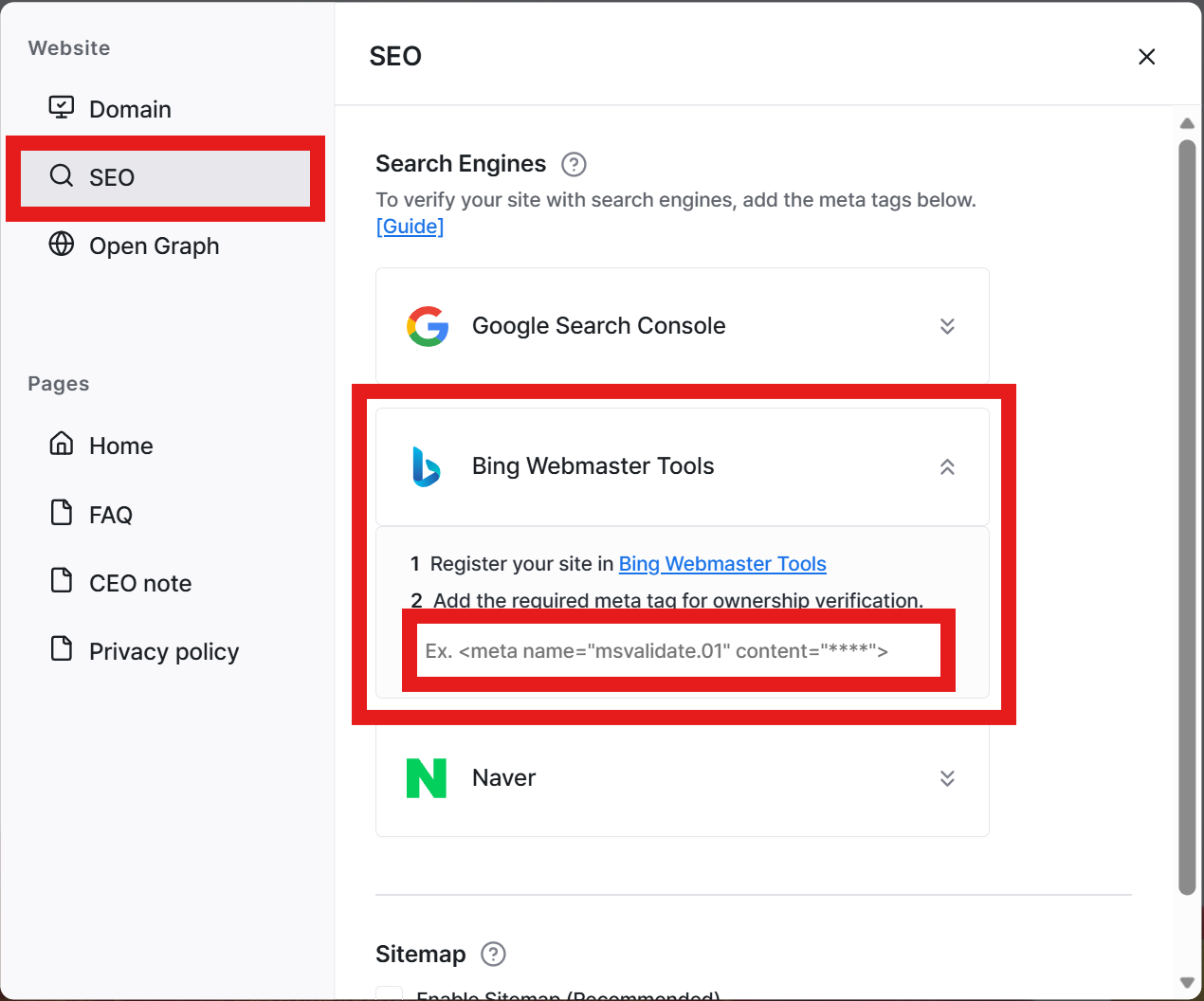
Return to Bing Webmaster Tools and click 'Verify'.
3. Naver Search Advisor
Access Naver Search Advisor and log in.
Click the 'Webmaster Tools' menu and enter your homepage URL in the 'Site Registration' tab.
Select HTML Tag on the ownership verification screen and copy the entire code.
Nadoo.io Setup: Paste the copied code into the SEO tab in Nadoo.io settings and be sure to republish (Publish) your homepage.
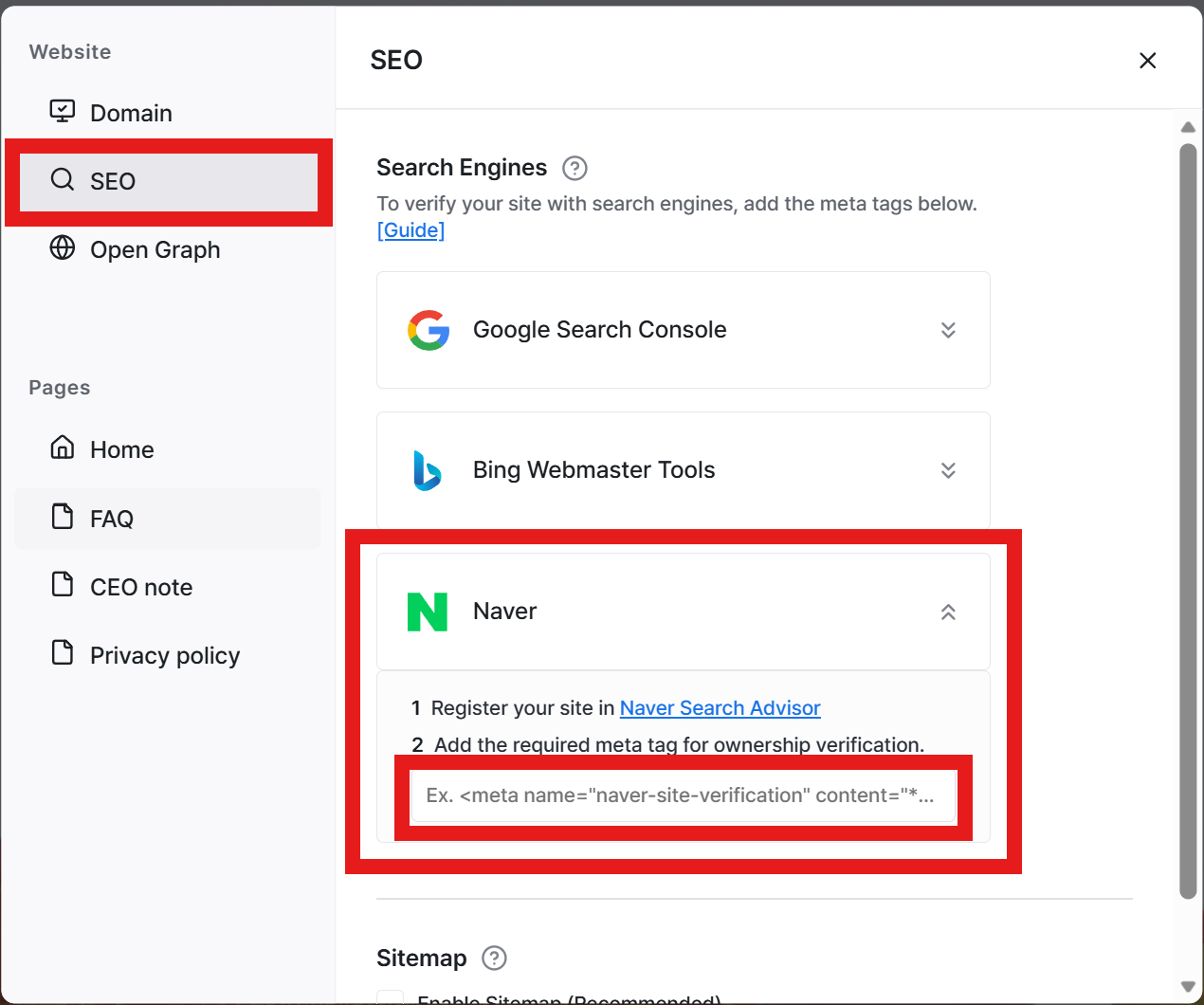
Return to Search Advisor and click 'Verify' to complete registration.
Still need help? Ask the team