Add a new form
Add a form template in the editor
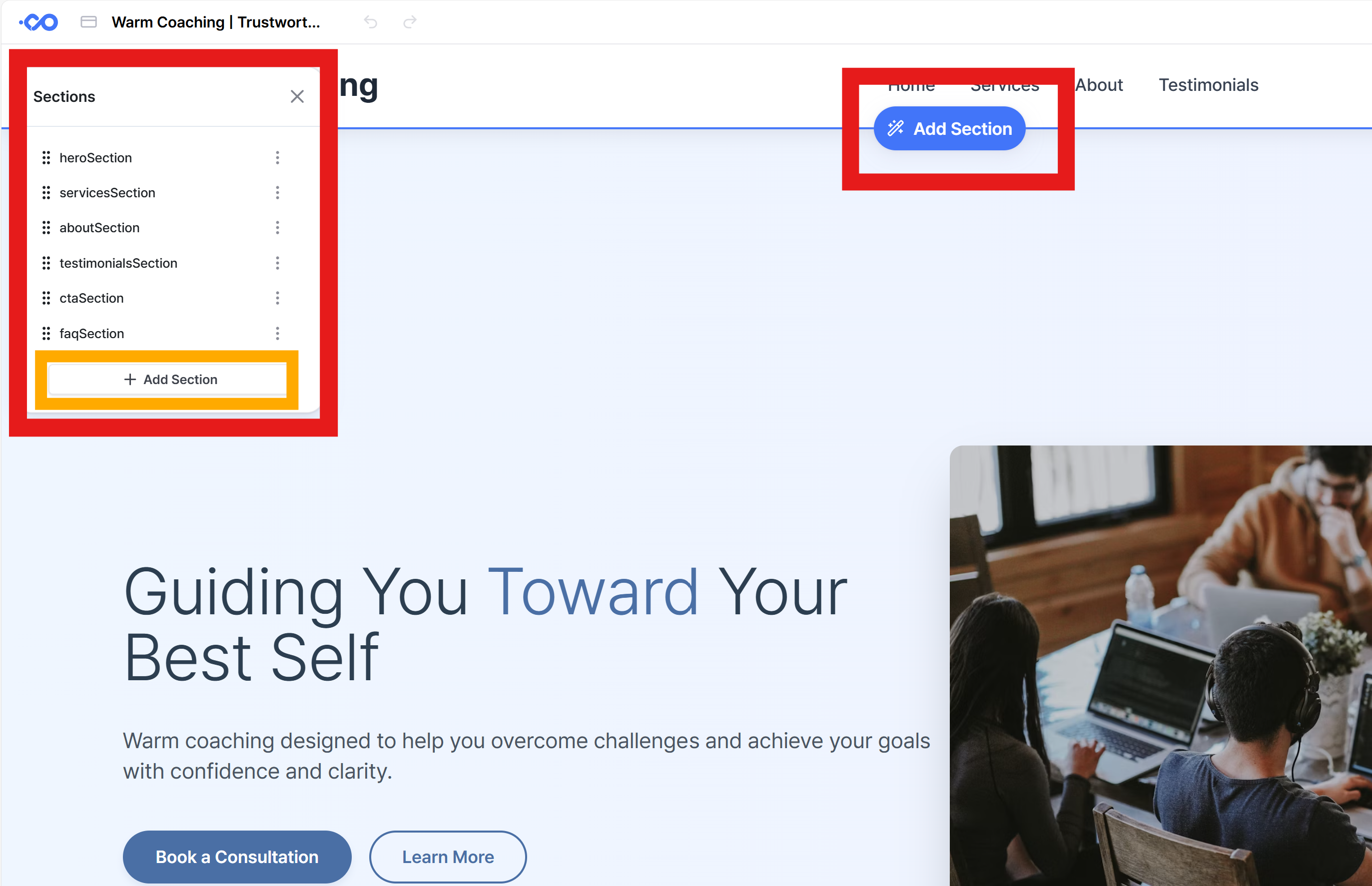
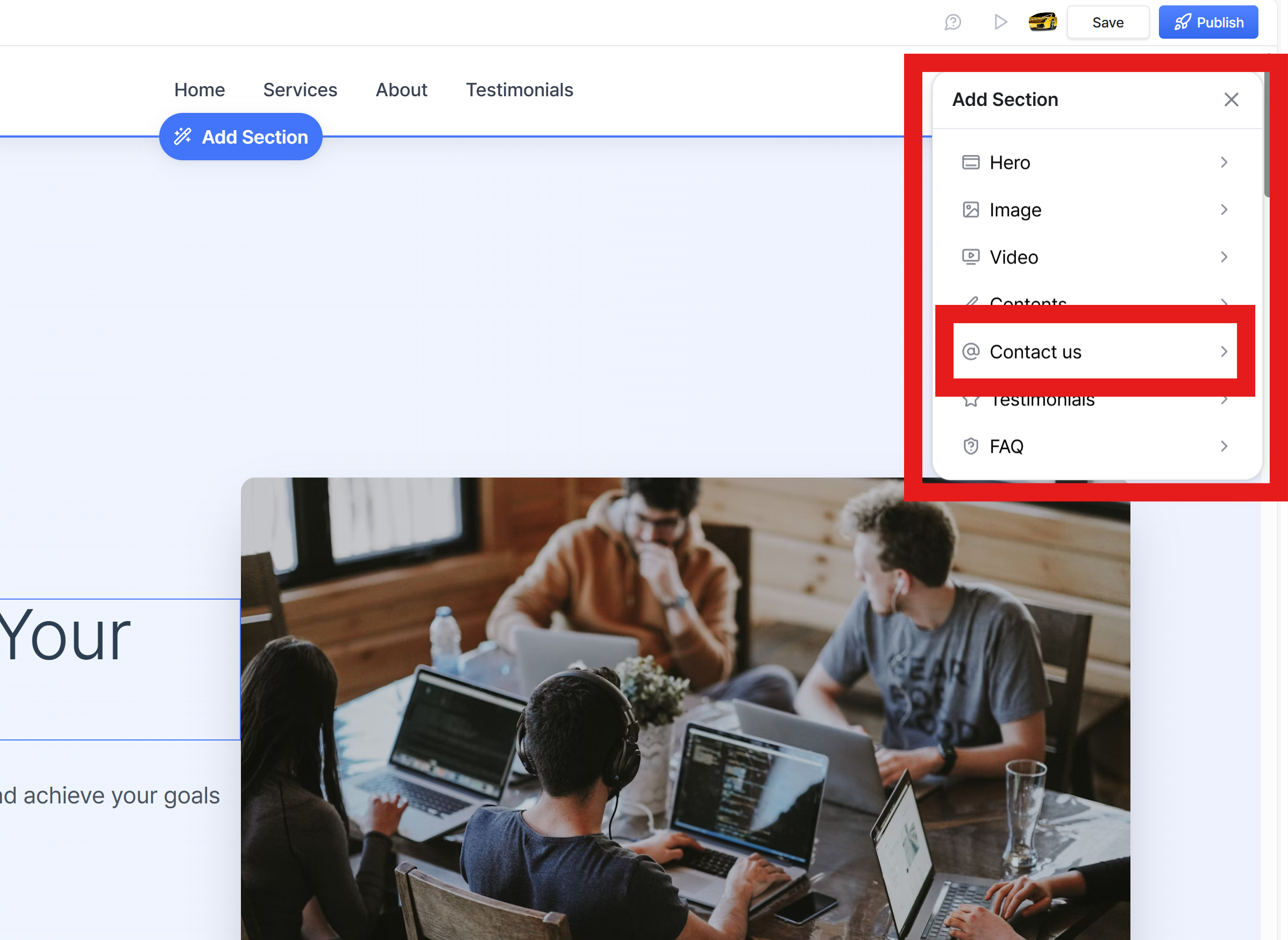
You can add a contact form template by clicking 'Sections' in the left menu bar, or by clicking the 'Add Section' button on the website you are currently editing.
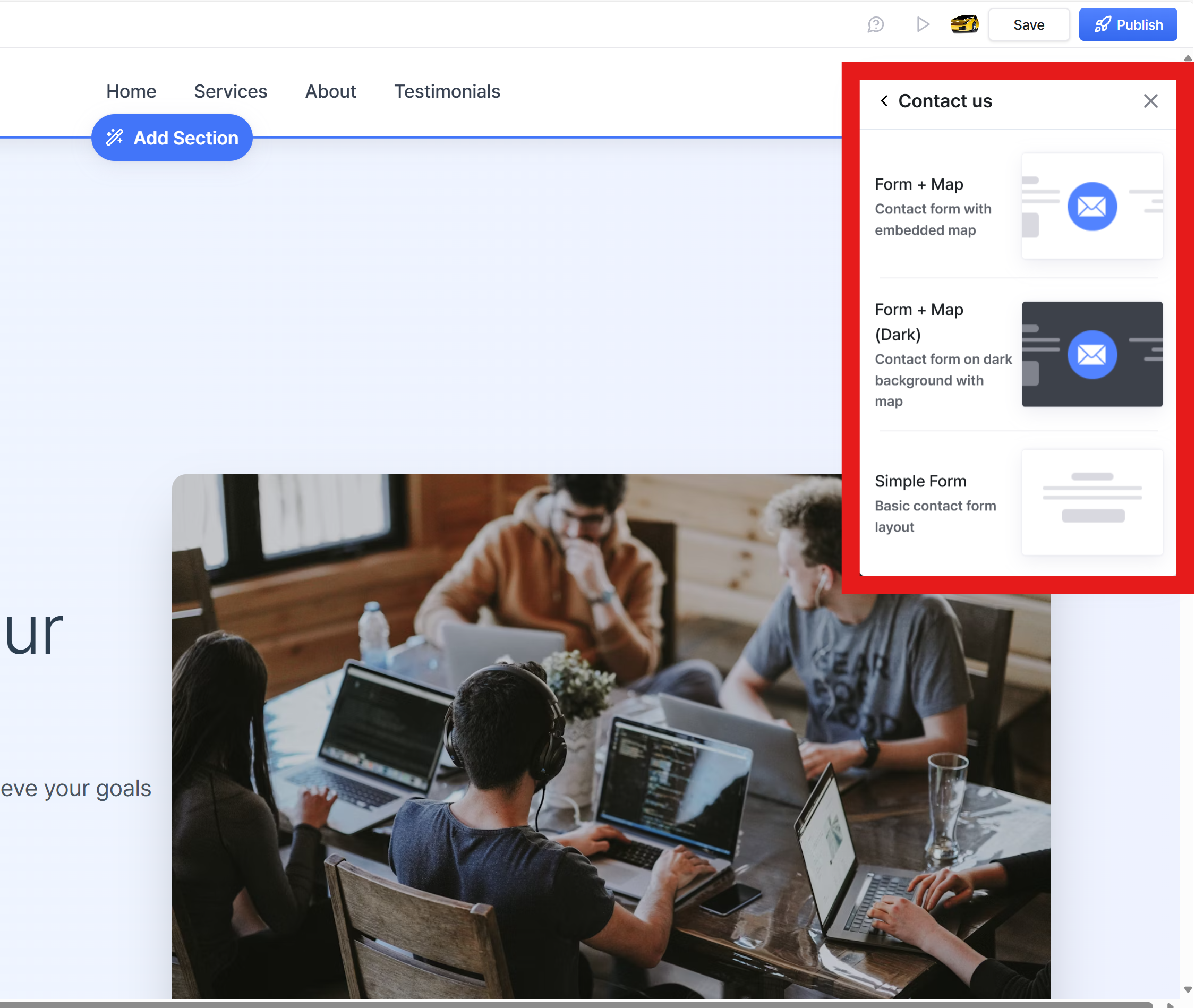
From the Templates Menu that appears on the right, simply select and add the contact form template you want.
Was this helpful?
Still need help? Ask the team